Guide
How to Send Youth Sports Schedule Changes Without Confusing Parents
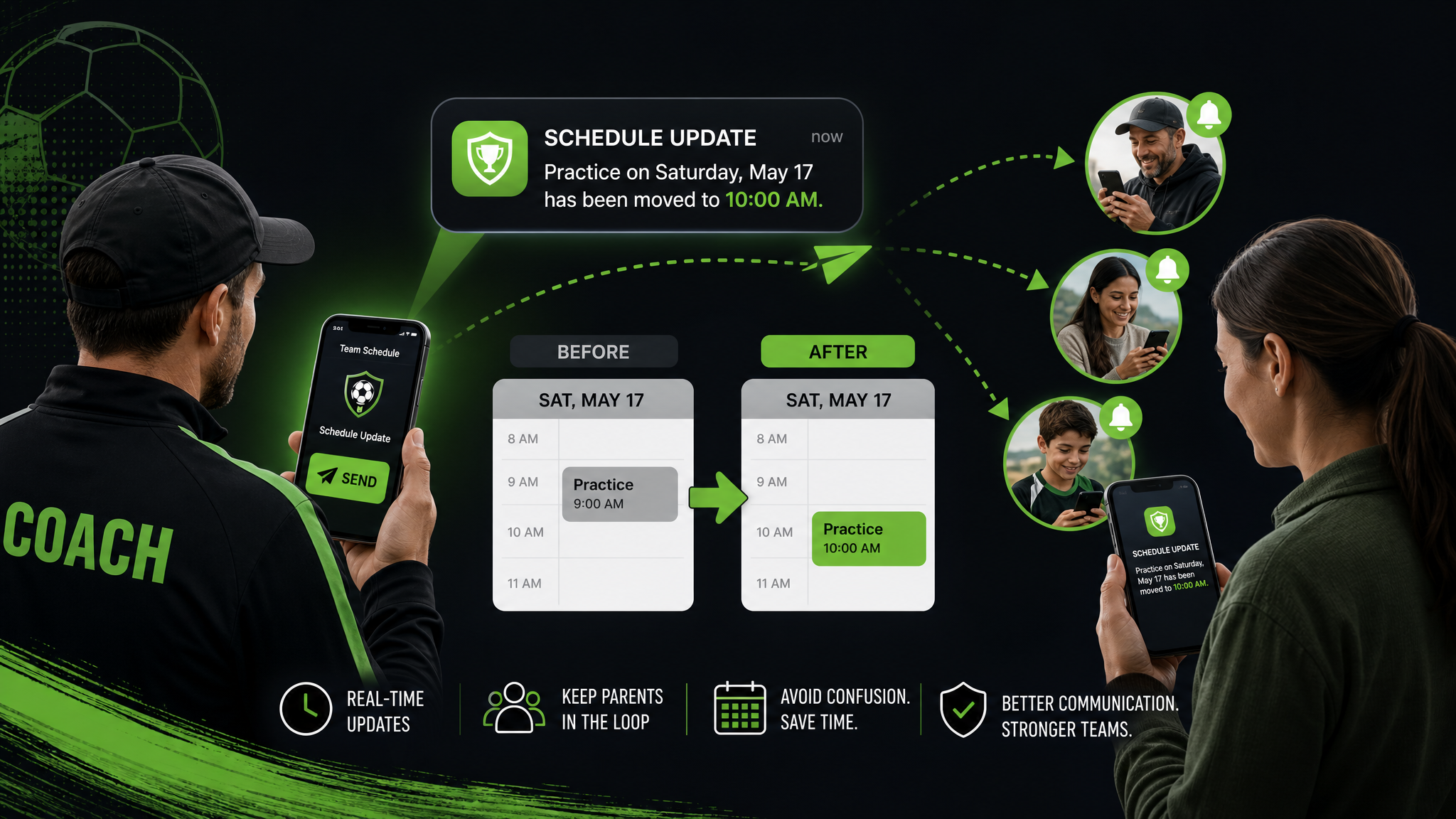
Schedule changes are one of the fastest ways to create chaos for a youth sports team.
A practice moves. A game time shifts. A field gets changed at the last minute. And suddenly parents are digging through text threads, coaches are answering the same question six times, and somebody still shows up at the wrong field.
The problem is rarely the change itself.
It is how the change gets communicated.
If your team still relies on group text to handle schedule updates, you are asking busy families to find an important message in the noisiest place possible. That is why so many teams end up with confusion, missed arrivals, and frustrated parents.
The good news: you can fix this with a simple communication system.
In this guide, we’ll walk through the best way to send youth sports schedule changes so parents actually see them, understand them, and act on them.
Why schedule changes cause so much confusion
Most teams do not have a schedule problem. They have a visibility problem.
A schedule change becomes confusing when:
- •it is sent in a long chat thread
- •there is no clear headline
- •the old time is still floating around in other places
- •parents are not sure whether the update is official
- •nobody knows where to look for the latest version
Once that happens, people start relying on memory, screenshots, and side messages. That is when mistakes happen.
The fix is to treat schedule changes like operational updates, not casual chatter.
The best way to send schedule changes: one source of truth
Every team needs one place where the latest schedule lives.
That means parents should always know:
- •Where to check first
- •What changed
- •When it changed
- •What they need to do next
If your updates are spread across text, email, and a spreadsheet, there is no single source of truth. Families will miss things.
Squadline is built for exactly this kind of weekly coordination. It gives teams a central place for schedules, alerts, and communication so parents do not have to hunt for the latest update. Learn more on the Squadline features page.
A simple 5-step system for clear schedule changes
Use this process whenever a schedule changes.
1) Update the schedule in the main team system first
Before you send anything, change the official schedule in the place your team uses as its home base.
Do not announce a change before the source is updated.
If parents see one version in a message and another version in the app, trust disappears fast.
2) Lead with the actual change
Your message should make the change obvious in the first line.
Good:
- •"Practice moved from Tuesday 5:30 PM to Wednesday 6:00 PM"
- •"Game location changed to Field 4"
Weak:
- •"Quick update"
- •"Please read when you have a chance"
- •"Important info below"
Busy parents do not need a teaser. They need the update.
3) Include the key details in one short block
Every schedule change should answer these questions:
- •What changed?
- •When is the new time?
- •Where should families go?
- •Is anything else different?
- •Does anyone need to reply or confirm?
Example:
Schedule update:
Practice has moved from Thursday at 5:00 PM to Thursday at 6:15 PM.
Location stays the same: North Field.
Please update your calendars.
That is enough.
4) Send it where parents already look
If parents have to check three places for updates, they will miss one.
The best approach is to send the change through the team platform where they already check schedules and alerts. If you also use email or text, keep those messages short and direct, and point people back to the same official update.
The goal is consistency, not volume.
5) Follow up only when needed
If the change is big, send a reminder closer to the event.
If it is a minor change, one clear announcement may be enough.
Do not keep re-explaining the same thing in multiple threads unless you really need to. Repetition creates noise.
What to avoid when sending schedule changes
A few habits make schedule updates much harder than they need to be.
Avoid buried messages
A message that starts with context and hides the change halfway down is easy to miss.
Lead with the change first.
Avoid vague wording
"There has been a slight adjustment" is not helpful.
Say exactly what changed.
Avoid sending updates only in group text
Text threads are great for conversation. They are terrible for record-keeping.
The second a thread gets busy, the important update gets pushed out of view.
Avoid multiple versions of the same schedule
If one parent has a screenshot, another has an old email, and your app shows something else, nobody knows what is current.
That is how teams lose trust.
Best practices for parents with multiple kids or teams
If your team families juggle more than one athlete, clarity matters even more.
Parents with multiple kids are not ignoring your messages. They are just managing more information than everyone else.
To help them:
- •keep updates short
- •use consistent language
- •make the new time and location obvious
- •avoid jargon
- •put the official schedule in one place
This is one reason Squadline works well for families managing more than one team. The app is designed for multi-team life, so parents are not forced to keep track of separate systems for every child. See the home page for the full product overview.
How coaches save time with better schedule communication
Clear schedule changes do more than help parents.
They save coaches time.
When updates are easy to find, coaches spend less time answering:
- •What time is practice?
- •Where is the game?
- •Did the field change?
- •Is the session still on?
That time adds up quickly over a season.
A better system means the coach can post once, trust that the message is visible, and move on.
That is why the best schedule communication tools are not just calendars. They are team communication systems.
Example messages you can use
Here are a few simple templates.
Practice time change
Update: Practice on Wednesday has moved from 5:00 PM to 6:30 PM.
The field location stays the same.
Please update your calendars.
Game location change
Update: Saturday’s game will now be played at Field 3 instead of Field 1.
The start time is still 10:00 AM.
Weather-related cancellation
Update: Tonight’s practice is canceled due to weather.
We will share the reschedule plan as soon as it is confirmed.
Last-minute reminder
Reminder: Tomorrow’s game is at 9:00 AM at Riverside Park.
Please arrive 20 minutes early.
These messages work because they are short, specific, and easy to scan.
What a better system looks like in practice
A strong team communication setup has three layers:
1) A current schedule
The schedule is always updated in one central place.
2) A clear announcement
The change is posted in a way parents can see immediately.
3) A simple record
Parents can look back later if they need to confirm the latest version.
That is the real difference between a team that stays organized and a team that spends all week cleaning up confusion.
Why Squadline is built for this problem
Squadline gives teams a cleaner way to manage schedules and communication in one place.
Instead of relying on a noisy group text or scattered tools, coaches can post updates where families already expect to find them.
That means:
- •fewer missed updates
- •fewer repeated questions
- •faster parent response
- •better attendance
- •less admin work for coaches
If you want to see how the scheduling workflow fits into the broader product, check out the pricing page or the support page.
Final takeaway
The best way to send youth sports schedule changes is simple:
- •update one official source
- •lead with the change
- •keep the message short
- •send it where parents already look
- •avoid scattered follow-up across too many channels
If parents know exactly where to check, schedule changes stop being a source of stress.
They just become part of how the team runs.
Ready to simplify your season?
Download Squadline free and get your team organized in under 5 minutes.